PC Cleanup with Zoolz: Secure, Organize & Future-Proof Your Digital Archives
March is traditionally associated with cleaning and fresh starts. While most people think about decluttering closets and offices, very few prioritize PC cleanup — even though digital clutter can slow down systems, increase cyber risks, and expose sensitive information.
Studies show that the average office worker uses over 10,000 sheets of paper per year, much of which is increasingly replaced by digital files. Meanwhile, IBM’s Cost of a Data Breach Report consistently shows that the average data breach costs millions globally. Disorganized, unprotected files significantly increase this risk.
A proper PC cleanup isn’t about deleting important data — it’s about organizing, archiving, and securing it. This is where Zoolz becomes essential.
Why Digital Clutter Is a Growing Risk
1. Slower System Performance
Unused files, duplicate content, and temporary data consume storage space and system resources.
2. Increased Cyber Vulnerability
Old files often include outdated credentials, personal data, and business records that cybercriminals target.
3. Data Loss from Seasonal Risks
From unexpected power outages to hardware failures, seasonal risks evolve each year. Without backup, recovery may be impossible.
A professional PC cleanup strategy must include:
✅ Identifying redundant data
✅ Archiving long-term records
✅ Protecting active files
✅ Ensuring secure offsite backup
How Zoolz Transforms Your PC Cleanup Strategy
Zoolz is not just cloud storage. It is a long-term cloud archiving and hybrid backup platform designed for both individuals and businesses.
1. Cold Storage for Long-Term Preservation
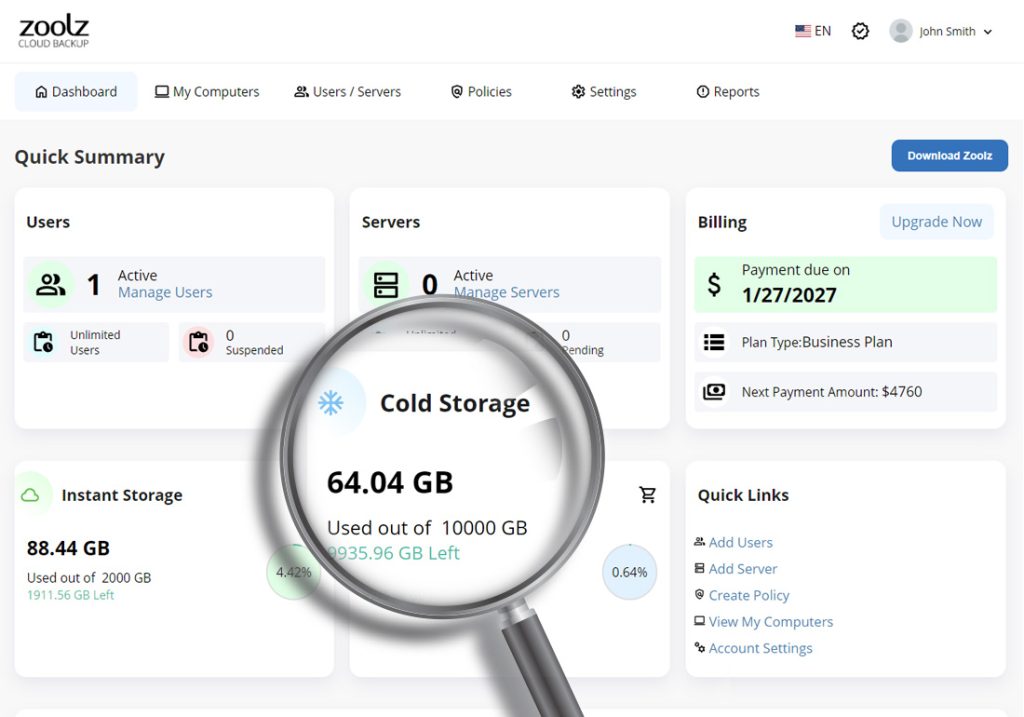
Zoolz Cold Storage provides affordable long-term archiving for rarely accessed data. Unlike traditional instant storage, Cold Storage is optimized for preservation rather than frequent retrieval.
Cold Storage benefits include:
- Cost-effective long-term retention
- Ideal for legal records, compliance files, archives
- Secure Amazon-based infrastructure
- No Amazon S3 transfer or storage fee surprises
Cold Storage ensures your digital history remains protected while freeing up space during your pc cleanup.
🔗 Introduction to Cold Storage
2. Hybrid Backup
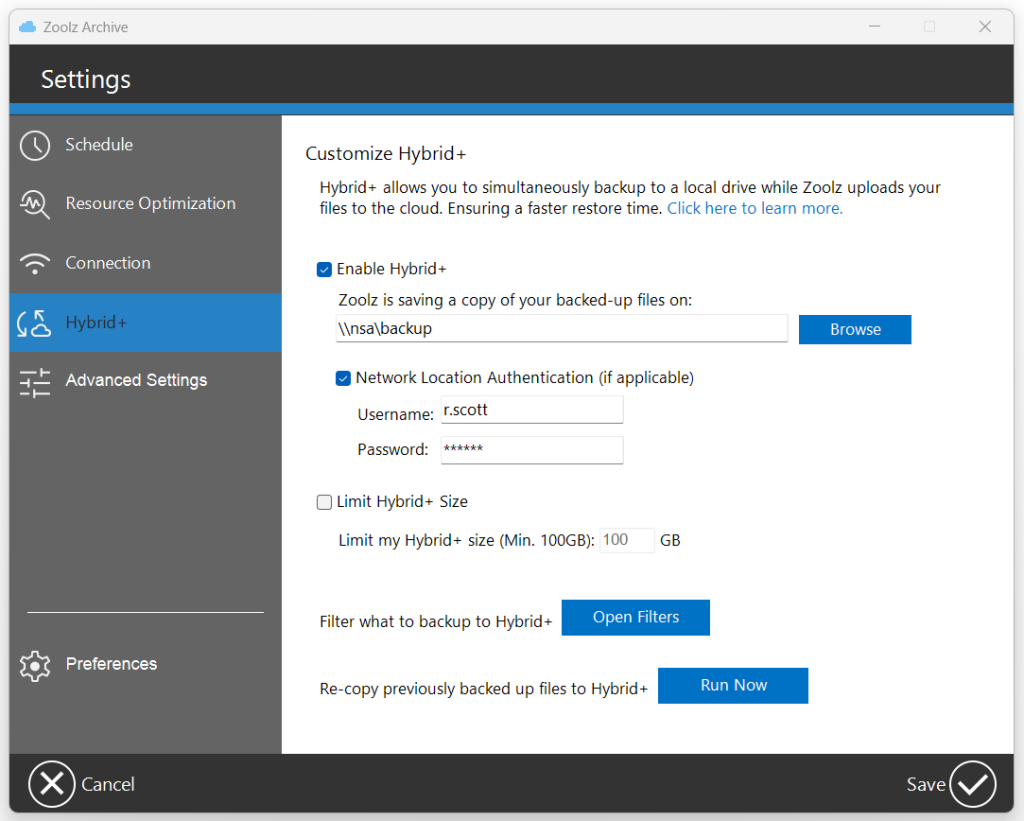
Zoolz offers a powerful Hybrid+ backup model:
- Local backup for instant access
- Cloud Instant Storage for quick restores
- Cloud Cold Storage for long-term archiving
This layered approach ensures:
- Fast recovery from accidental deletion
- Long-term disaster recovery
- Reduced bandwidth consumption
For businesses, this means continuous operations even during seasonal disruptions.
🔗 Enabling the Hybrid+ Feature in Zoolz
3. Incremental & Block-Level Backup Technology
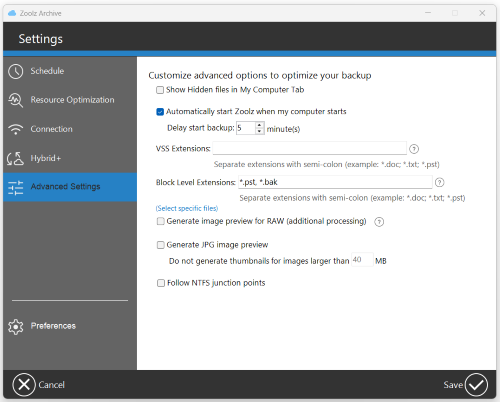
After your initial backup, Zoolz uses:
- Incremental backup – Only new or modified files are uploaded
- Block-level technology – Only changed portions of files are backed up
This dramatically reduces storage consumption and accelerates pc cleanup efficiency.
🔗 Incremental Backup and File Versioning with Zoolz
🔗 Block Level Backup with Zoolz
Secure and Compliant Protection
When organizing digital archives, security is non-negotiable.
Zoolz provides:
- Military-grade 256-bit AES encryption
- Optional user-defined private encryption key
- Two-Factor Authentication (2FA)
- Ransomware recovery options
- Compliance support (HIPAA-ready infrastructure for eligible plans)
Importantly, administrators cannot access encrypted user data without authorization.
Your PC cleanup must protect sensitive information — not expose it.
Advanced Features That Simplify PC Cleanup
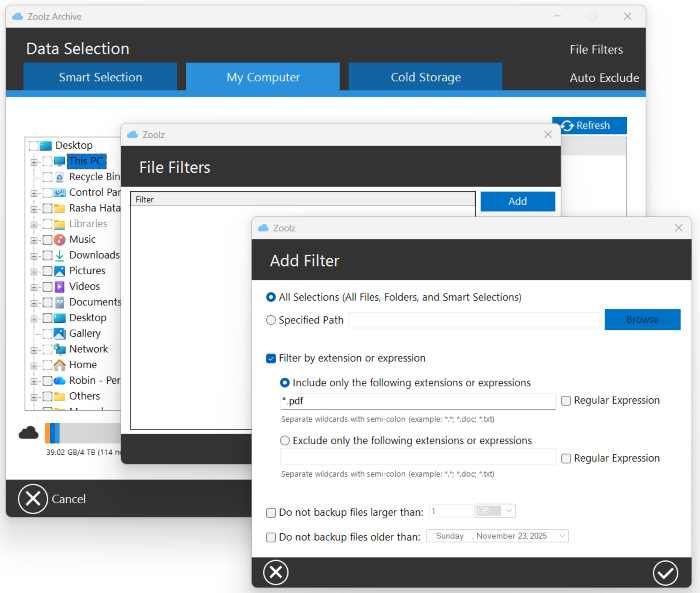
✅ File Filters
Automatically exclude file types based on extensions and rules. (Learn more)
✅ Automatic Backup
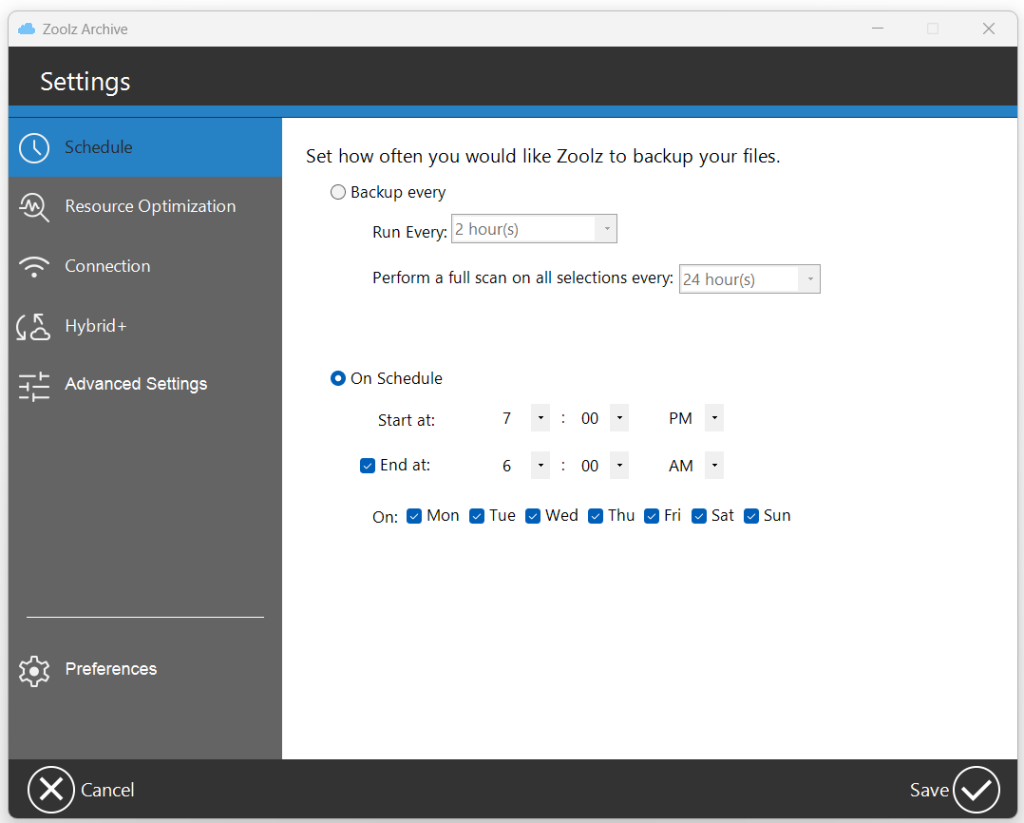
Zoolz offers continuous data protection (CDP) through customizable scheduling options. (Learn more)
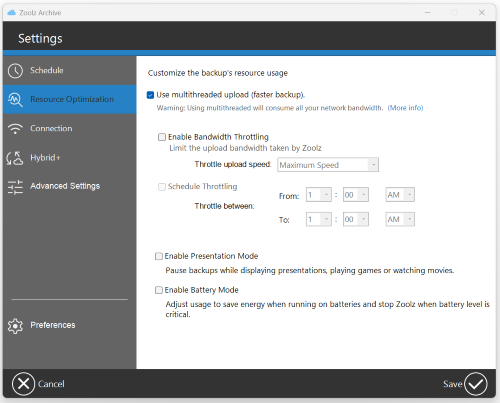
✅ Multi-Threaded Upload
Upload data to the cloud storage using multiple concurrent threads or connections. (Learn more)
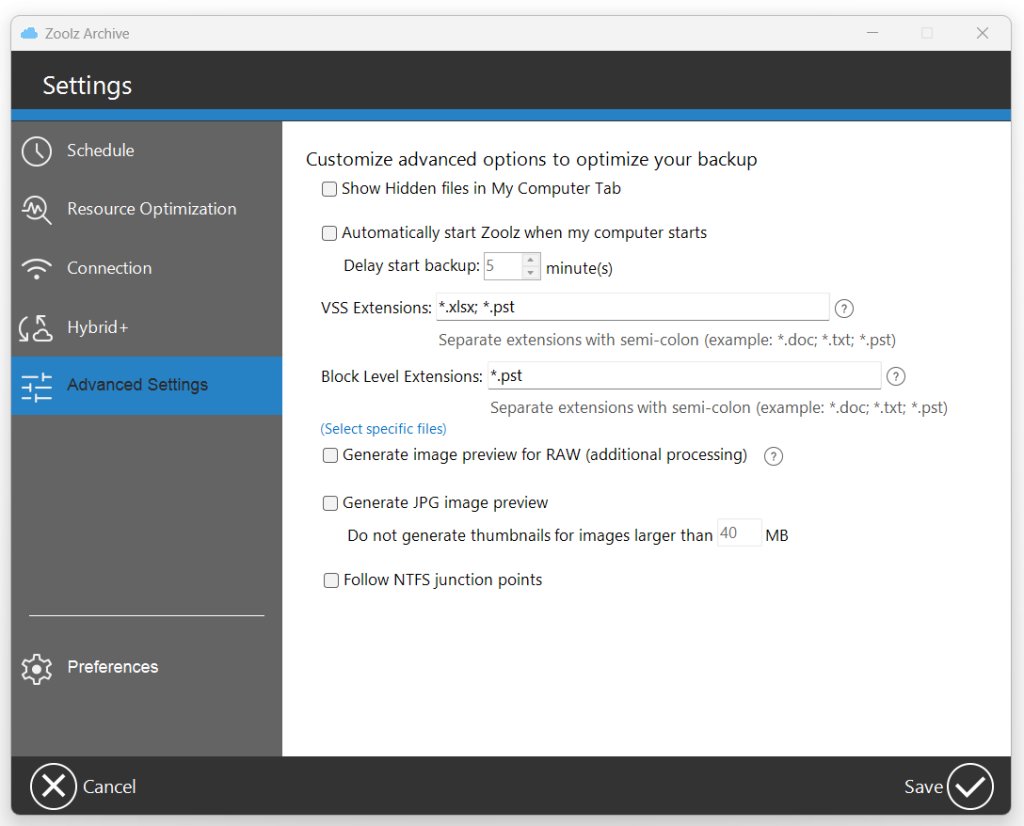
✅ Backup Open & Locked Files (VSS)
Protect documents even while they’re being used. (Learn more)
✅ Restore Older Versions
Recover previous file versions after corruption or ransomware encryption. (Learn more)

Organizing Personal Digital Archives
For home users, PC cleanup often includes:
- Photos and videos
- Financial documents
- Academic records
- Personal creative projects
Zoolz enables:
Instead of deleting family memories to free space, move them safely to Cold Storage now!
Zoolz for IT Teams and Enterprises
Businesses benefit from:
- Policy-based backup management
- Active Directory deployment
- Server backup
- User grouping and labeling
- Global reporting
- Remote restore
Zoolz ensures administrators maintain control while users remain productive.
Optimize Your PC Cleanup with Best Practices
- Scan all selections periodically
- Set file retention rules
- Exclude unnecessary temporary folders
- Monitor storage usage and alerts
- Archive unused computers instead of deleting them
Regular PC cleanup paired with automated Zoolz backup ensures sustainable digital organization.
FAQ – PC Cleanup & Zoolz
1. What is the safest way to perform a PC cleanup?
The safest method is to archive important files to secure cloud backup before deleting anything locally.
2. What is the difference between Instant Storage and Cold Storage?
Instant Storage allows faster access, while Cold Storage is optimized for long-term archiving at lower cost. (Learn more)
3. Can Zoolz protect against ransomware?
Yes. Zoolz stores encrypted versions of your files and allows restoration of previous versions. (Learn more)
4. Does Zoolz support backup from external and network drives?
Yes. Internal, external, and mapped network drives are supported. (Learn more)
5. Is my data encrypted?
All data is encrypted using 256-bit AES encryption before transmission. (Learn more)
6. Can I use my own encryption password?
Yes. Zoolz allows users to define a private encryption key. (Learn more)
Final Thoughts: Make This March Your Digital Reset
A proper PC cleanup isn’t about deleting memories or business records. It’s about:
- Organizing your digital space
- Protecting sensitive information
- Ensuring long-term preservation
- Preparing for seasonal risks
With Zoolz, you gain:
- Secure Cold Storage
- Hybrid+ backup flexibility
- Incremental and block-level efficiency
- Enterprise-grade encryption
- Scalable storage options
Don’t wait for hardware failure, ransomware, or accidental deletion.
Clean your PC. Secure your archives. Protect your future — with Zoolz.